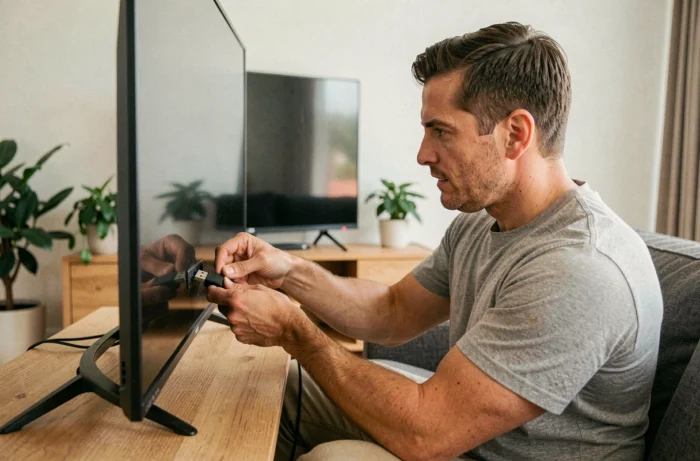
Watching IPTV on a television without going through an operator box or home Wi-Fi involves solving two distinct problems: transporting the internet stream to the TV and playing the IPTV signal on a screen that may not be connected. Solutions vary depending on the type of television, the available connections, and the chosen network connection mode.
Wired connection, 4G sharing, or powerline: what speed for IPTV without Wi-Fi
Wi-Fi is not the only way to deliver an internet stream to a television. Three alternatives cover almost all situations, with very different performances depending on the context.
| Connection mode | Typical speed | Latency | Suitable for HD/4K IPTV |
|---|---|---|---|
| Ethernet cable (RJ45) | Stable, limited by the ISP box | Very low | Yes (HD and 4K) |
| 4G/5G connection sharing (USB or cable) | Variable depending on coverage | Medium to high | HD: yes / 4K: unstable |
| Powerline adapters | Variable depending on electrical installation | Low to medium | HD: yes / 4K: depending on model |
The Ethernet cable remains the most reliable solution. An RJ45 cable connected between the router (or an adapter) and the Ethernet port of the TV or HDMI box ensures a stable stream without interruptions. When the TV is far from the router, powerline adapters transport the internet signal through the electrical circuit of the home.
Connection sharing from a smartphone in 4G or 5G also works, but stability depends on network coverage. To avoid Wi-Fi in this case, simply connect the phone to the HDMI box via a USB cable. This setup eliminates wireless latency.
Several guides detail how to watch IPTV without a box and without Wi-Fi by combining these connection modes with different types of televisions.
IPTV on a non-connected TV: HDMI box or Android stick
An older or non-connected television lacks an operating system and an app store. It cannot run an IPTV app on its own. The only option is to add an external device connected via HDMI.
HDMI stick like Fire TV Stick or Xiaomi TV Stick
These sticks plug directly into the HDMI port of the television. They come with an Android (or Fire OS) system and allow the installation of IPTV apps like XCIPTV, TiviMate, or IPTV Smarters. Power is supplied via USB, often through the TV’s own USB port.
The HDMI stick turns any screen into a Smart TV capable of reading IPTV streams. It connects to the network via Ethernet cable (using a USB-Ethernet adapter) or through wired connection sharing from a phone.
Dedicated Android TV box
Android TV boxes (Nvidia Shield, Mecool, Beelink) offer more power and often have a built-in Ethernet port. This native port simplifies wired connections and avoids any additional adapters.
- Native Ethernet port on most Android TV boxes, no need for a USB adapter
- Larger internal storage to install multiple IPTV apps and a VLC player as a complement
- Bluetooth remote control included, voice command compatible on some models
A box with a built-in Ethernet port is the most stable setup for IPTV without Wi-Fi. The HDMI stick is better suited for temporary setups or smaller budgets.
Smart TV without an app store: the integrated web browser method
Some Smart TVs run on closed or older systems (Tizen, first-generation WebOS) whose store does not offer any IPTV apps. Buying an external box is not always necessary.
The TV’s integrated web browser can load an IPTV web player hosted online. Simply enter the URL of the player, then input the Xtream Codes credentials (host, username, password). The stream starts directly in the browser.
This method has concrete limitations:
- Navigation with the TV remote is slow and not user-friendly
- The browser does not always support recent video codecs, leading to playback errors on some streams
- No program guide (EPG) or recording function
- The limited RAM of these TVs can cause crashes on high-definition streams
The web player is a workaround, not a sustainable solution. For daily use, an HDMI box remains preferable even on a Smart TV with an empty store.
Legal risks of illegal IPTV in France: fines and automatic blocking
Competing articles detail the technique without addressing the recent legal framework. In 2026, the situation changed significantly for end users.
The sports law adopted in 2026 allows for automated and real-time blocking of illegal IPTV streams, without prior court decision. Specifically, a stream identified as illegal can be cut off during a live broadcast, regardless of the connection mode used (Wi-Fi, cable, 4G sharing).
On the sanctions side, French courts imposed fines ranging from 300 to 400 euros in 2026 against subscribers of clearly pirate IPTV services. Some decisions include a criminal record entry. The qualification retained is the receipt of counterfeit.
Using IPTV without a box and without Wi-Fi does not pose any legal problem in itself. However, the choice of IPTV provider determines the risk: a subscription to a legal service (Molotov, official apps from channels, OTT offers from operators) carries no risk. A service with abnormally low prices offering hundreds of premium channels is almost always a case of counterfeiting.
The connection mode (wired, powerline, 4G) does not protect against automated blocking. This applies at the network level, not the terminal. An Ethernet cable or mobile connection sharing does not change that.